
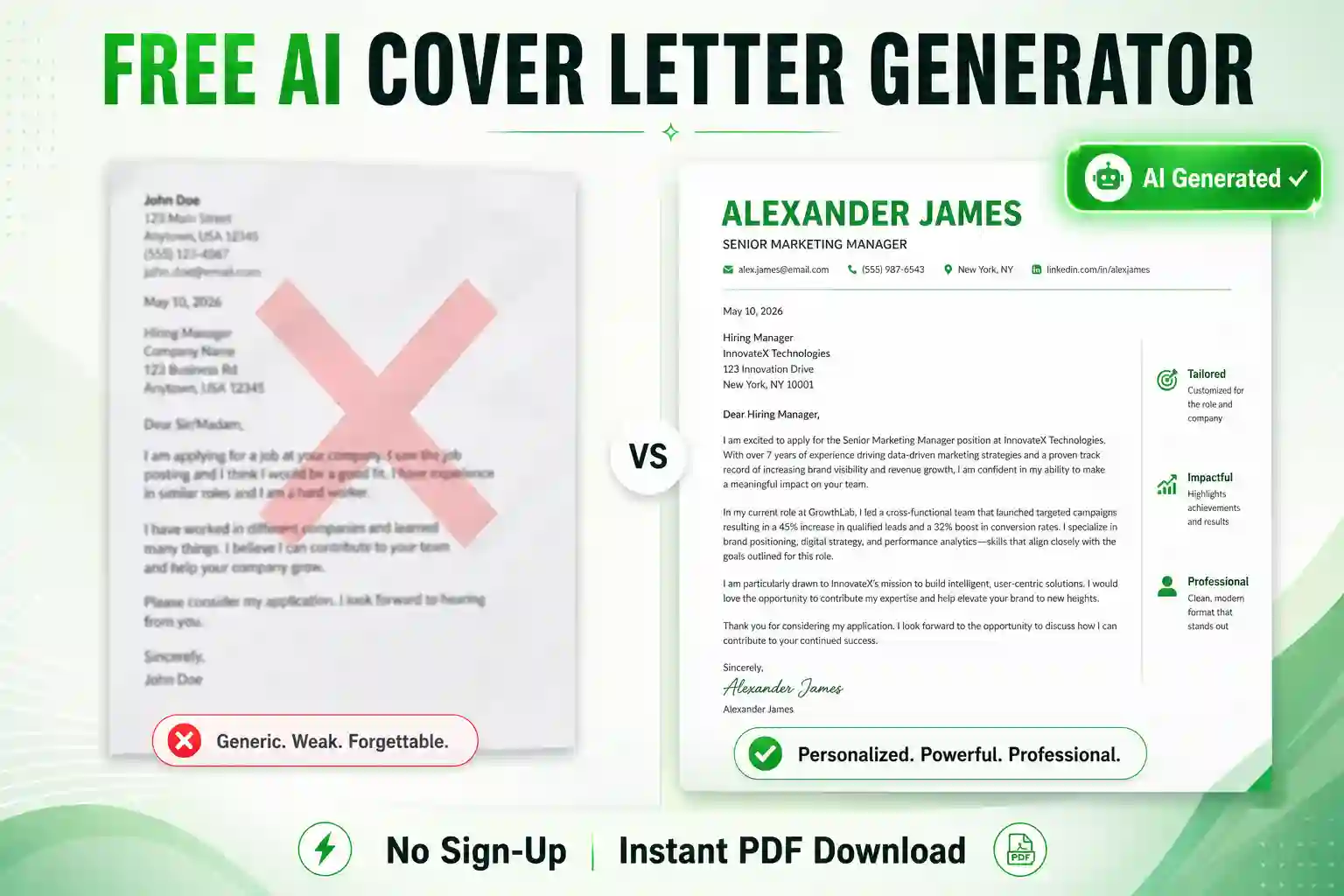
Write a Winning Application with our Free AI Cover Letter Generator
Are you spending hours staring at a blank screen, trying to figure out how to write a cover letter that HR managers will actually read? You are not alone. Writing a custom cover letter for every single job application is the most exhausting part of the job hunt. That is why we built this free AI cover letter generator to do the heavy lifting for you.
Whether you are applying to top IT MNCs like TCS, Wipro, and Infosys, or targeting fast-growing startups in Bangalore and Hyderabad, a highly tailored cover letter is your secret weapon. Simply input your details, paste the job description, and our AI will instantly write a persuasive, ATS-friendly cover letter that proves you are the perfect fit for the role. The best part? There is absolutely no sign-up or email required.
How to Use This AI Cover Letter Maker (Step-by-Step)
Follow these simple steps to generate a highly professional cover letter in under two minutes:
- Step 1: Your Details. Enter your professional contact information. Be sure to include your LinkedIn profile or GitHub portfolio URL, as recruiters frequently click these links to verify your background.
- Step 2: Target Job Details. Enter the exact Job Title and Company Name you are applying to. Pro Tip: If you know the name of the Hiring Manager (from LinkedIn or the job posting), enter it! Personalized letters get a 30% higher response rate.
- Step 3: Provide Your Experience. This is the most important step. Paste 3 to 4 of your top skills or achievements. Then, copy the responsibilities from the company’s job description and paste them into the second box.
- Step 4: Generate & Download. Click the AI button. Our tool will analyze the job description, match it with your skills, and write a seamless corporate letter. You can then download it instantly as a PDF or Microsoft Word (.doc) file.
The Secret to a Perfect Letter: Good Input vs. Bad Input
Because our free AI cover letter generator uses advanced natural language processing to write your document, the output is only as good as the input you provide. If you give the AI vague details, it will write a generic letter. If you give it specific metrics, it will write a highly persuasive pitch.
Example 1: Software Engineer Role
❌ Weak Input: “I know Java and Python. I fix bugs and write code. I want to work at your company.”
✅ Strong Input: “5 years experience in full-stack development using Java, Spring Boot, and React. Led a team of 4 to migrate legacy systems to AWS, reducing server costs by 30%. I am applying for the Senior Backend Developer role to help scale your cloud infrastructure.”
Example 2: Digital Marketing Role
❌ Weak Input: “I do SEO and social media. I ran ads for my last company.”
✅ Strong Input: “Managed a monthly ad spend of $10,000 across Google and Facebook Ads. Increased organic website traffic by 150% in 6 months through advanced technical SEO and content strategy. I want to bring my ROI-focused approach to your Growth Marketing team.”
Need to Build Your Resume First?
A great cover letter is useless without a strong resume attached to it. Before you apply, make sure your CV can pass HR screening software. Use our Free AI Resume Generator to instantly convert your work experience into professional, ATS-friendly bullet points. No sign-up required!
Why Cover Letters Still Matter in India (2026)
Many freshers and professionals ask, “Do HR managers actually read cover letters anymore?” The answer is yes, but only if they are written correctly. The Indian job market is highly competitive. When a recruiter has 500 resumes for a single position, a cover letter serves as the ultimate tie-breaker.
If your cover letter is just a copy-paste of your resume in paragraph form, HR will ignore it. However, a cover letter that directly addresses the company’s pain points and highlights exactly how your unique skills solve their problems will put you at the top of the interview pile. Our tool ensures your tone is professional, your grammar is flawless, and your enthusiasm for the role shines through.
3 Cover Letter Mistakes You Must Avoid
- Making it too long: A cover letter should never be more than one page. Ideally, it should be 3 to 4 concise paragraphs. Our AI is specifically programmed to keep your letter short and punchy.
- Using the wrong format: Do not use crazy colors, multiple columns, or weird fonts. ATS (Applicant Tracking Systems) prefer plain, standard text. Our tool outputs a clean, classic black-and-white corporate format.
- Forgetting to customize: Sending the exact same generic cover letter to 50 different companies is a massive mistake. By pasting the specific Job Description into our tool for every application, the AI generates a 100% unique letter every single time.
Already Got the Job?
If you are currently employed and need to request professional time off from your manager, save time by using our Free AI Leave Letter Generator to send a perfectly formatted email to your HR department in seconds.
Frequently Asked Questions (FAQs)
Is this free AI cover letter generator really free with no sign-up?
Yes. Just like our resume builder, this tool is 100% free to use. There are no hidden paywalls when you click download, no watermarks on your document, and absolutely no email registration required.
Does this tool work for freshers with no experience?
Absolutely! If you are a college fresher, simply type your academic projects, internships, or relevant coursework into the “Skills” box. The AI is smart enough to position your academic achievements as valuable experience for the company.
Does the AI check for grammar and spelling errors?
Yes. The AI engine writes with perfect, fluent corporate English. It automatically corrects any spelling mistakes or grammatical errors you might have made when typing your raw notes into the input boxes.
Can I download the letter and edit it later?
Yes! After the AI generates your letter, you have two options. You can download it directly as a PDF to submit immediately, or you can click “Download Word” to get a Microsoft Word (.doc) file. This allows you to make manual edits, change the font, or adjust margins on your own computer.